
New York Post for Phone
NYP Holdings, Inc.News & Magazines
3.46.40K Reviews
- Version
- 5.1
- Installs
- 500.00K
- Age Rating
- Teen
Screenshots

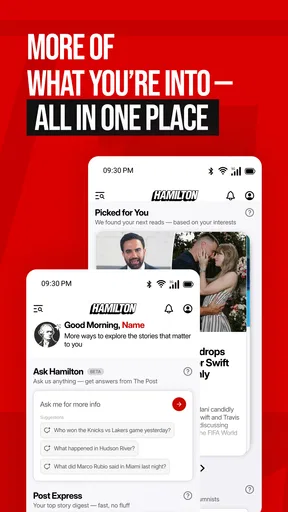
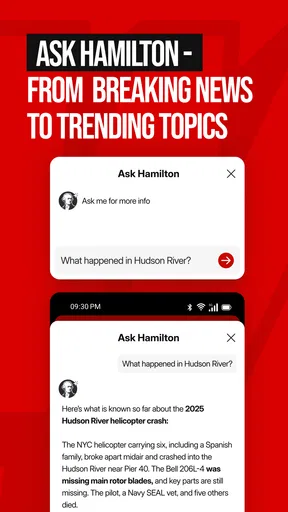
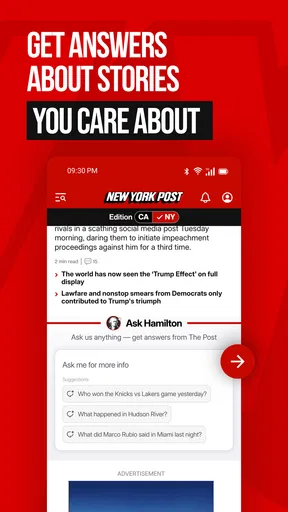


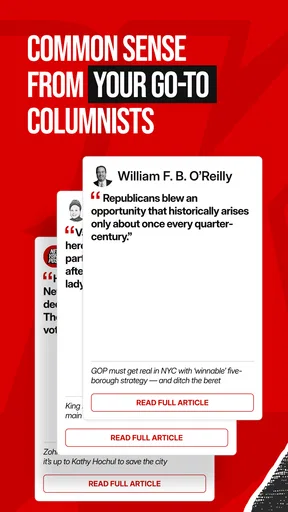

Our Review of New York Post for Phone
 Analysis by Appyee
I installed New York Post expecting a quick way to catch up on headlines, sports and entertainment without opening several different news sources. That is still the best way to understand it: this is a free news and magazines app from NYP Holdings, Inc., built around the publication’s fast-moving mix of current events, sports coverage and celebrity gossip. It is not trying to be a quiet research library or a highly personalized news dashboard. Its appeal is the feeling of opening one place and immediately seeing what is attracting attention.
My experience was strongest when I used it in short sessions. I could check the day’s main stories while waiting for coffee, scan sports updates before leaving work, or browse entertainment headlines when I wanted something lighter. The app has a clear personality, and that matters here. Readers who enjoy the New York Post’s direct, punchy style will probably feel at home. Readers looking for a neutral, slow, deeply analytical news experience may find the tone and story selection less comfortable.
From a spare moment to a useful news catch-up
I find this app most useful when I have a specific reason to check the news, rather than when I’m trying to read everything. A quick scan can help me decide which stories merit more attention and which can wait. That distinction matters even more when the day gets busy, so next I look at how the experience holds up during heavier use.
Starting with a specific need
The most practical starting point is not “I want to read everything.” That approach can quickly become noisy. I found the app more useful when I opened it with a small goal: see the major stories, check a team’s latest news, or browse celebrity coverage for a few minutes. Because the publication covers several subjects in the same app, it works well as a general-purpose news stop rather than a specialist tool.
On an ordinary morning, my workflow would be simple. I would open the app, look over the most prominent headlines, decide which subject deserved attention, and read only the stories that matched my interest. That small act of choosing is important. The app can present a broad stream, but it does not replace my own judgment about what deserves time.
The app is available free of charge, which makes trying it low-risk. It has a Teen content rating, so it is aimed at a general older audience rather than young children. That is worth keeping in mind if you are choosing a news source for a family device. The mix of breaking news, sports and celebrity material can include subjects that parents may prefer to discuss before younger readers browse independently.
Reading the first screen without getting lost
My first useful habit was to treat the opening view as a starting board, not a complete picture of the world. The most visible stories naturally compete for attention, and the strongest headline is not always the story I actually need. I would scan for a few seconds, identify the section that mattered, and then move through that subject instead of tapping every dramatic item.
This makes the app particularly convenient for casual readers who want a quick update. It also exposes one of its main trade-offs: speed and personality can make the experience more engaging, but they can encourage headline-first reading. When a story matters to me, I slow down and read beyond the first impression. For important events, I also compare the coverage with a more restrained source before forming an opinion.
A useful tip is to separate “information gathering” from “entertainment browsing.” Sports and celebrity stories are easy to dip into when I have spare time, while public-interest news deserves more concentration. Keeping those purposes separate prevents the whole session from becoming an endless scroll through whatever headline happens to be most attention-grabbing.
Moving from headline to full story
Once I selected an article, I judged it on three things: whether the opening gave enough context, whether the writing answered the obvious questions, and whether I could tell what kind of story I was reading. Straight news, opinionated framing, sports reaction and celebrity coverage do not serve the same purpose, so I did not approach them with the same expectations.
The app is at its best when I want immediacy. A developing story can be easier to follow when the language is energetic and the main point appears quickly. That is useful during a busy day, when I may have only a minute to understand why a topic is suddenly everywhere. The same style is less satisfying when I want a careful timeline, extensive background or a deliberately measured explanation.
I also found that reading in small batches worked better than opening many stories at once. I would finish one article, decide whether it changed my understanding, and then return to the wider feed. This reduces the chance of confusing repeated updates with genuinely new information, especially when several headlines cover the same event from slightly different angles.
Using the app for different daily scenarios
For a commuter, the app can serve as a compact morning briefing. The workflow is to scan the leading stories, read one or two pieces that affect the day, then switch to sports or entertainment only if time allows. The advantage is convenience: one app covers several common reasons people open a news service.
For a sports follower, the value is different. The app becomes a fast check-in between games or during a work break. It can help me see which story is receiving attention without requiring a dedicated sports application. The trade-off is depth. Someone who wants detailed statistics, extensive league tools or a highly specialized team feed will likely be better served by a dedicated sports product.
For entertainment browsing, the app is easy to use as a short distraction. I could look through celebrity stories when I wanted something less demanding than public affairs. I would not use that section as a substitute for a carefully edited culture magazine, however. Its strength is immediacy and variety, not a quiet, long-form reading experience.
Another realistic use is sharing a story during a conversation. A friend might mention a developing event, and I can open the app, find the relevant coverage, read the basic account and pass along the article through the phone’s normal sharing process if that option is available in my device environment. The handoff is useful, but I would still explain that sharing a headline is not the same as endorsing every detail or interpretation in it.
Where the handoffs create friction
The most important handoff happens between the app and me. The app can surface stories, but I decide which ones deserve trust, time and comparison. That means the product works best for readers who are comfortable being active participants rather than passive consumers. If I accept every headline at face value, the fast presentation becomes a weakness.
There is also a handoff between sections. A session can begin with a serious news story and end with celebrity gossip simply because the next headline is more tempting. That variety is part of the product’s identity, but it can make the experience feel less focused than a dedicated news reader. I learned to return deliberately to the subject I opened the app for instead of allowing the feed to choose my entire session.
A further handoff occurs when I move from the app to another source. For major stories, I prefer to verify the basic facts elsewhere, especially if the article is highly emotional or the subject is politically sensitive. This is not a criticism unique to this publication; it is a sensible reading habit for any fast news service. Still, it means the app is one part of my information workflow, not the only part.
What the product’s history says about its role
The app has been available since August 16, 2011, and its current version is 5.1. It supports devices running iOS 9 or later. That long presence helps explain why it feels like a publication companion rather than a brand-new social news experiment. I approached it as a direct way to access the newspaper’s output, not as a community platform built around discussion or user-created feeds.
Its audience is also visible in its scale. The app has passed 500 thousand installs, with an average rating of 3.4 from around 13 thousand ratings and roughly 6 thousand reviews. Those figures suggest a product with a substantial audience but a mixed reception. I read that as a reason to test it against my own habits rather than assume it will suit everyone.
The developer, NYP Holdings, Inc., gives the app a clear editorial identity. That consistency can be a benefit if I already like the publication’s approach. It can also be a limitation if I want several competing editorial voices in one interface. Unlike an aggregator that gathers many publishers, this app keeps the experience closely tied to one recognizable source.
Comparison with the usual alternatives
Compared with a general news aggregator, this app feels more coherent but less broad. An aggregator may offer multiple viewpoints, customizable topics and a wider range of publishers. That is better for people who want to compare reporting in one place. The New York Post app is better when I specifically want the Post’s selection, tone and combination of news, sports and celebrity coverage without building a feed from scratch.
Compared with a public broadcaster or a traditional national newspaper app, it is a different kind of reading experience. Those alternatives may suit readers who prioritize formal presentation, extensive context or a calmer editorial voice. I would choose this app when I want a quicker, more conversational-feeling scan and choose those other sources when the subject calls for methodical background.
Compared with a dedicated sports app, it loses on specialization but wins on convenience for occasional fans. I do not need a separate destination just to see whether a sports story is developing. On the other hand, serious followers who track schedules, standings, alerts or deep analysis should not expect a general news app to replace their specialist tool.
Compared with opening the publication in a mobile browser, the app’s main advantage is having a dedicated doorway to the same editorial world. I found that useful when news checking was already part of my routine. A browser remains the better choice for someone who rarely visits the publication and does not want another app occupying space or attention.
Where the flow breaks down
The first break comes when I need a balanced research process rather than a quick editorial read. The app can start my investigation, but I would not stop there for a complicated subject. Its direct style may make a story easy to enter, yet ease of entry is not the same as comprehensive treatment.
The second break is focus. The combination of hard news, sports and celebrity gossip is convenient, but it can feel crowded. A reader who wants only local reporting, only financial news or only one sports league may spend more time filtering mentally than reading. In that situation, a specialized app or a carefully configured aggregator is the better fit.
The third break is emotional fatigue. Fast, attention-grabbing headlines can be useful when I need awareness quickly, but repeated exposure can make a short session feel more intense than planned. My workaround is to set a clear purpose before opening the app and stop after I have answered that question. It is a small habit, but it keeps the product from turning every spare moment into an unplanned news marathon.
There is also a compatibility consideration. The listed minimum operating system is iOS 9, so owners of very old devices may appreciate the broad support, while users expecting a modern platform experience should keep their expectations realistic. I would check the app’s behavior on my own phone before making it the center of a daily news routine, particularly if I depend on a specific reading or accessibility setup.
Who should install it
I would recommend it to someone who already enjoys the New York Post’s voice and wants a free, convenient way to follow its news, sports and celebrity output. It is especially suitable for short reading sessions: a morning scan, a lunch-break update, a quick sports check or a few minutes of entertainment browsing.
I would be more cautious recommending it to a reader who wants one neutral, comprehensive source for every important subject. That person will probably be happier combining a calmer publication with a second source for comparison. I would also point dedicated sports fans toward a sports-first app and readers who dislike celebrity coverage toward a more narrowly edited news service.
The app is not a replacement for judgment, but it can be a useful first step in a broader workflow. I open it to discover what deserves attention, read enough to understand the immediate story, and then decide whether the subject warrants another source. That approach makes its strengths work for me without asking it to do a job it was not designed to handle.
My final take after using it
New York Post succeeds as a quick, personality-driven news companion. It brings several popular reading interests into one free app and makes short check-ins easy. I like it most when I want to know what is being discussed right now, especially across general news, sports and entertainment.
Its weaknesses are tied to those same strengths. The energetic presentation can feel noisy, the single-publication viewpoint limits comparison, and readers seeking deep, carefully balanced coverage will need to look elsewhere. I would install it for fast awareness and familiar editorial style, not as my only source for serious research.
After using it in a real daily workflow, my recommendation is straightforward: try it if the New York Post’s approach matches your taste, keep your sessions purposeful, and compare important stories with other reputable sources. For the right reader, it is a handy way to turn a spare minute into a useful catch-up. For everyone else, the app’s focused alternatives may offer a calmer or more specialized route to the same basic goal.
Verdict
Strengths of New York Post for Phone
- Fast access to breaking news, local stories, and national headlines.
- Easy-to-scan layout makes browsing articles convenient on a phone.
- Includes entertainment, sports, business, and opinion sections.
- Push notifications can keep readers updated on major developments.
- Many articles include engaging photos, videos, and visual galleries.
Limitations of New York Post for Phone
- Some content may reflect a strong editorial viewpoint.
- Frequent ads can interrupt reading and reduce screen space.
- Certain stories may require a subscription or offer limited access.
- Notifications may feel excessive unless carefully customized.
- Sensational headlines may not appeal to readers seeking neutral coverage.
Other Releases by NYP Holdings, Inc.
View All
New York Post for Tablet
News & Magazines2.8
Similar Picks in This Category
View All
Google News - Daily Headlines
Google LLC4.0

X
X Corp.4.8

Flipboard:Your Social Magazine
Flipboard3.4

Opera News: breaking & local
Opera4.5

Hindi News by Dainik Bhaskar
Dainik Bhaskar Group4.0

Way2News Daily News App
Way2News ( Formerly Way2SMS )4.6
Frequently Asked Questions
What is New York Post for Phone?
New York Post for Phone is the mobile app for reading news, opinion pieces, entertainment stories, sports coverage, and other content from the New York Post. After installing it, readers can browse a constantly updated feed, open individual articles, and explore different sections from a smartphone-friendly interface. The app is designed for quick access to the publication’s latest headlines while on the go.
Is New York Post for Phone free to download and use?
The app can generally be downloaded without paying an installation fee, but access to certain content may depend on the publication’s current subscription or account policies. Some articles and features may be available freely, while other material could require registration, a subscription, or an in-app purchase. Before downloading, users should check the store listing and the app’s own terms for the latest details.
What type of news and content can I find in the app?
The New York Post app covers a broad range of subjects, including breaking news, politics, local and national stories, celebrity and entertainment news, sports, business, lifestyle, and opinion. In testing this type of news app, the main advantage is the variety of sections available in one place. However, readers should remember that headlines and editorial viewpoints can be distinctive, so comparing important stories with other reputable sources is advisable.
Does New York Post for Phone send notifications?
Yes, the app may use push notifications to alert users about breaking news, major headlines, sports developments, and other updates. Notifications can be useful for readers who want immediate access to important stories, but frequent alerts may become distracting depending on how many categories are enabled. After installation, users should review the notification settings and disable nonessential alerts if they prefer a quieter reading experience.
What permissions and device requirements should I consider before installing it?
Before installing New York Post for Phone, check that your Android or iOS device supports the current version listed in its official app store. The app may request internet access, notification permission, and other standard permissions needed to load articles, images, videos, or alerts. It is best to download it from Google Play or the Apple App Store, keep the operating system updated, and review the privacy information before creating an account or subscribing.
